H5v - A HDF5 Viewer for the terminal

Hi everyone :waving_hand:

My name is Daniel, and I’ve been developing applications that handle HDF5 files professionally for over a year now.

First of all, thank you to everyone contributing to the HDF5 ecosystem—your work is genuinely appreciated :folded_hands:

Over time, I’ve used existing tools like h5web and HDFView. While they are powerful, I found them less suited for fast, keyboard-driven workflows. In particular, working over SSH and having to transfer large files locally just to inspect them became a recurring frustration.

Because of this, I started building a tool for my own use—a lightweight, terminal-based viewer for HDF5 files. Initially, I didn’t plan to share it, but after some encouragement (and a fair bit of polishing), I realized it might be useful to others as well.

So, I’d like to introduce h5v — a terminal-based HDF5 viewer.
h5v is a keyboard-oriented TUI application written in Rust. It allows you to inspect, edit, visualize, and compare HDF5 files directly in the terminal—locally or over SSH.


What it looks like

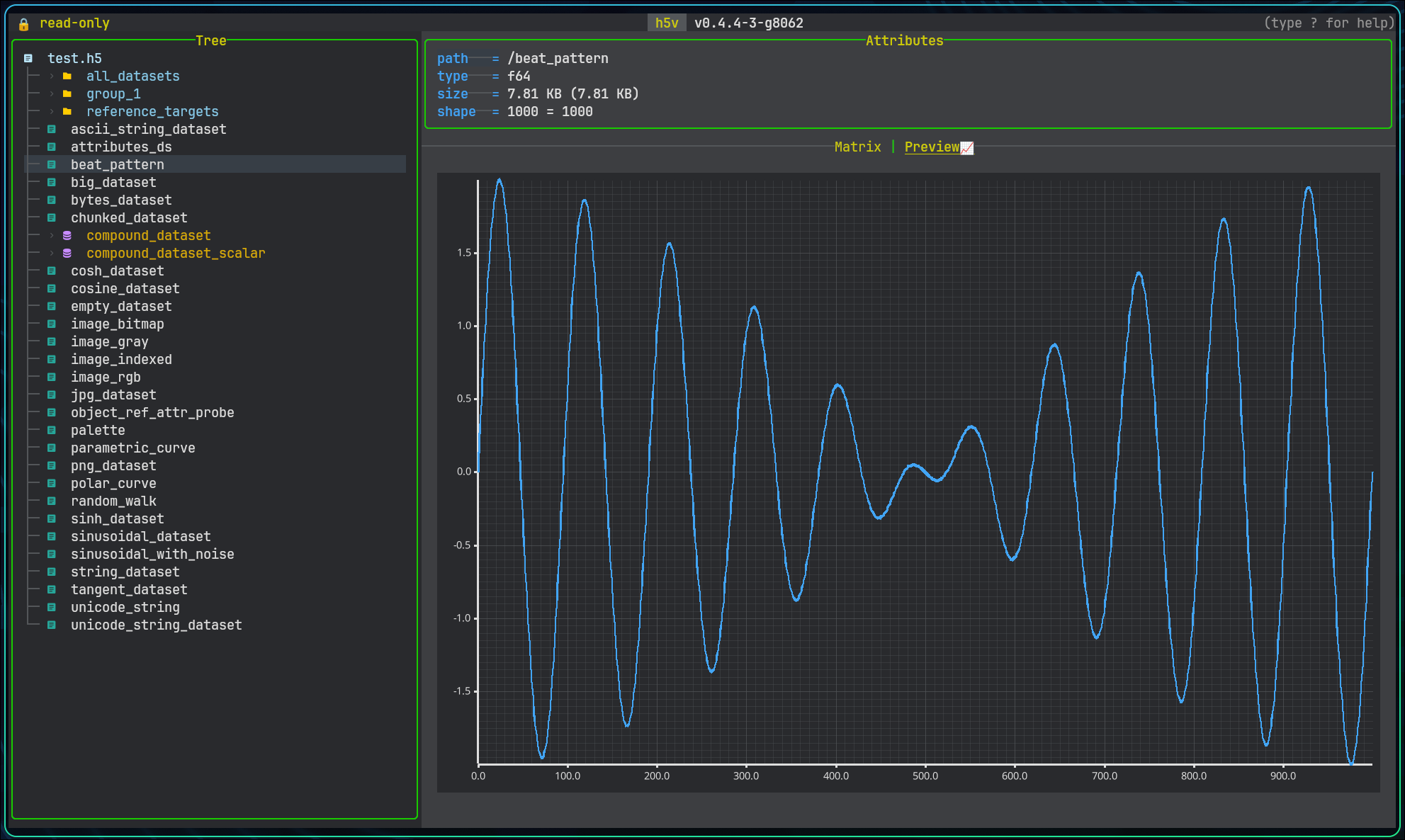
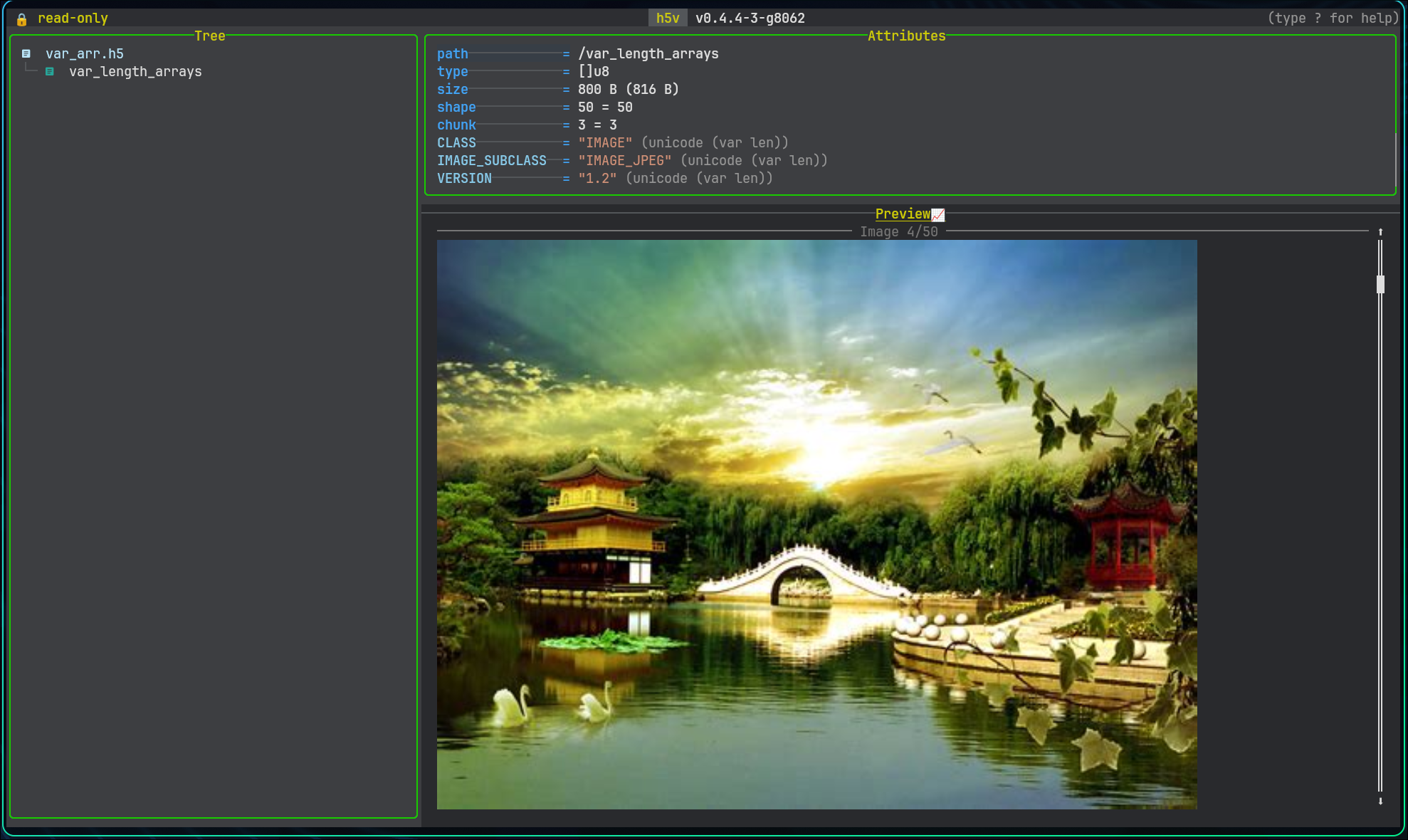
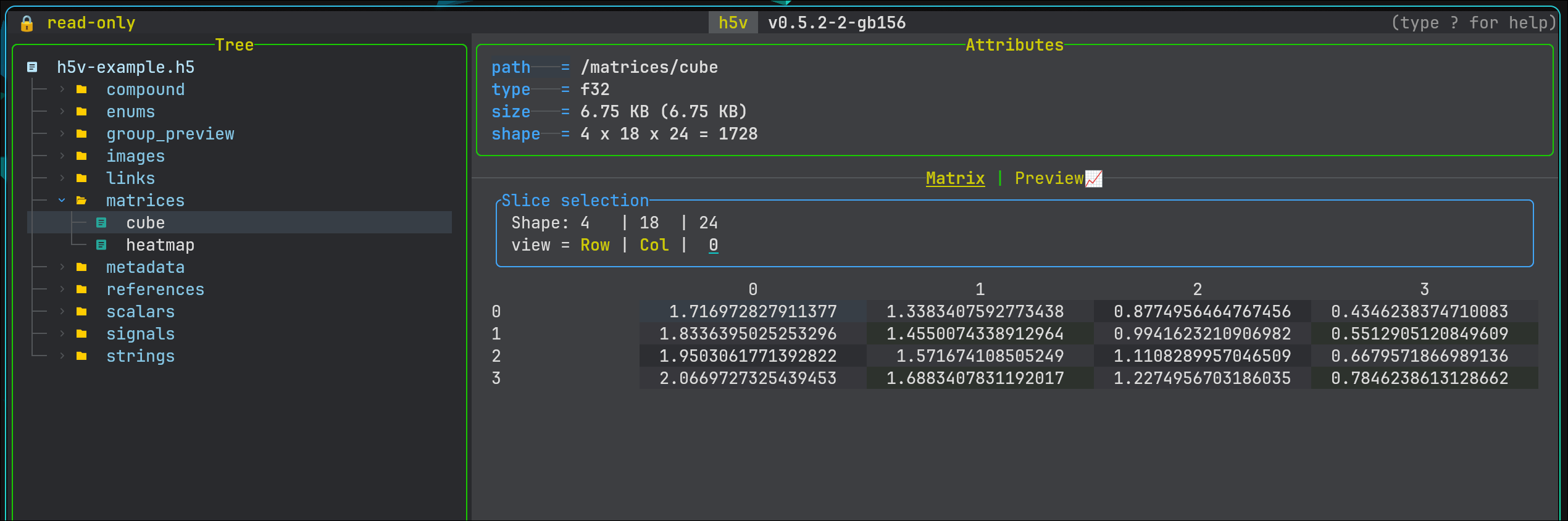
Charts Images
Chart preview Image preview
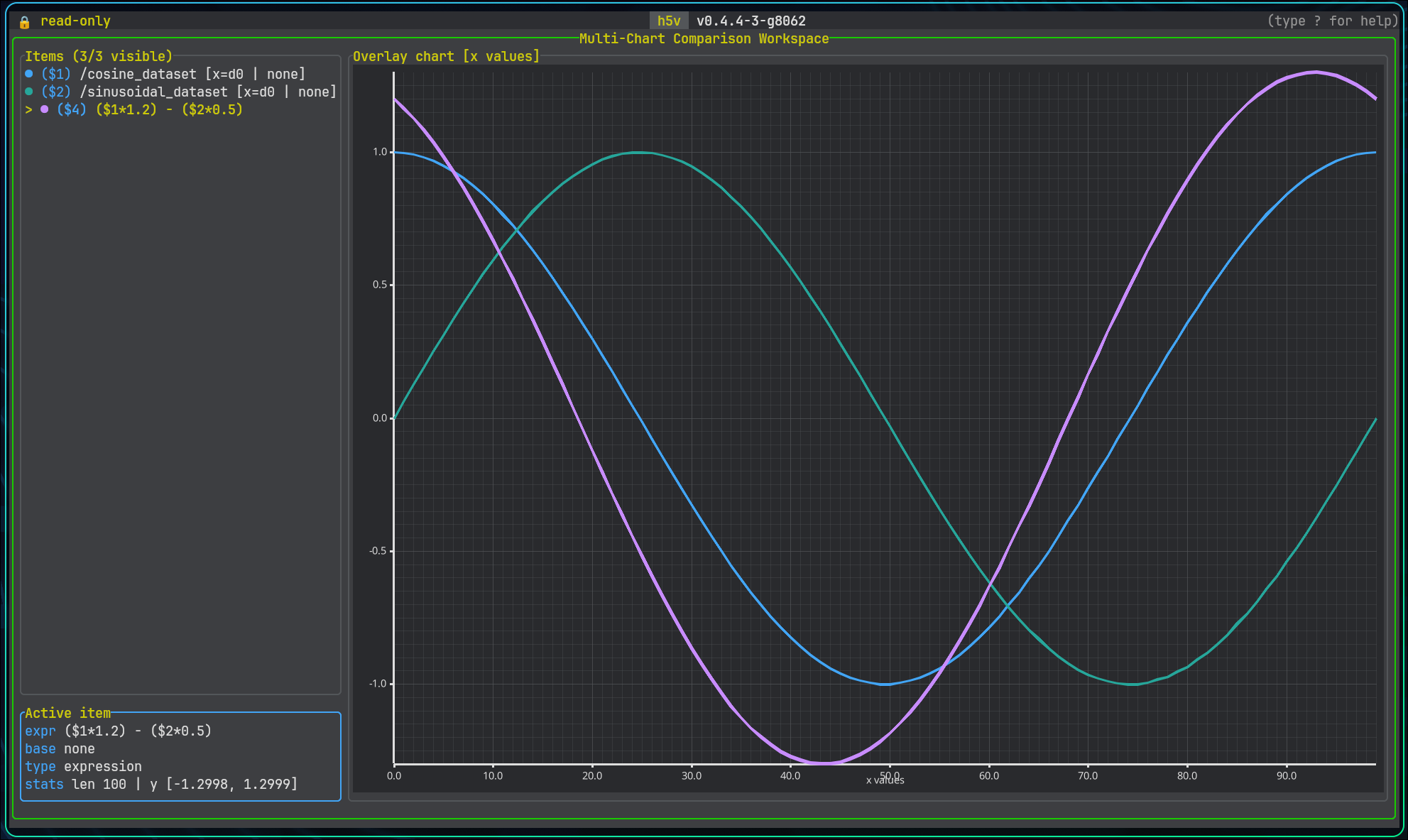
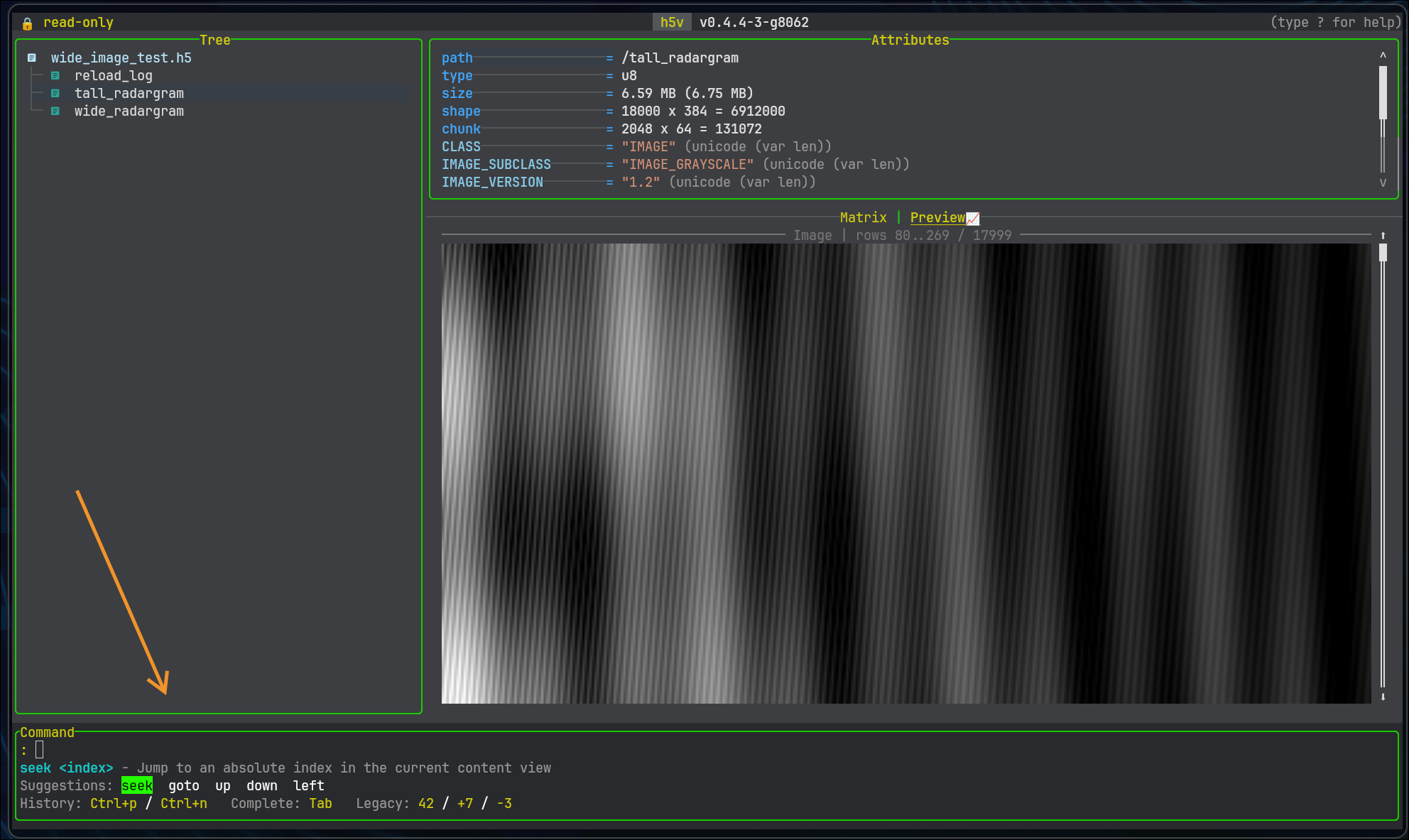
Multichart Commands
Multichart view Command mode
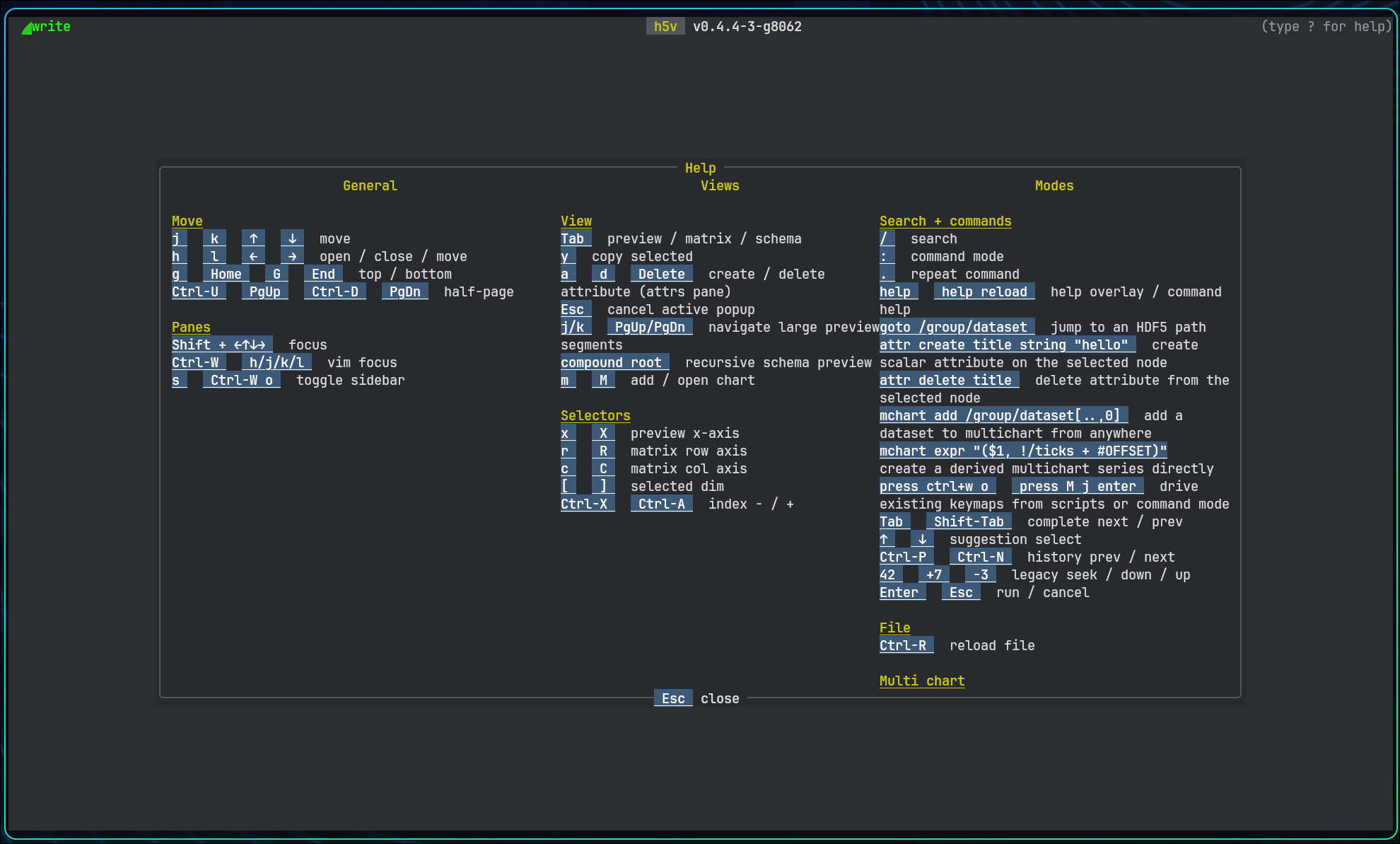
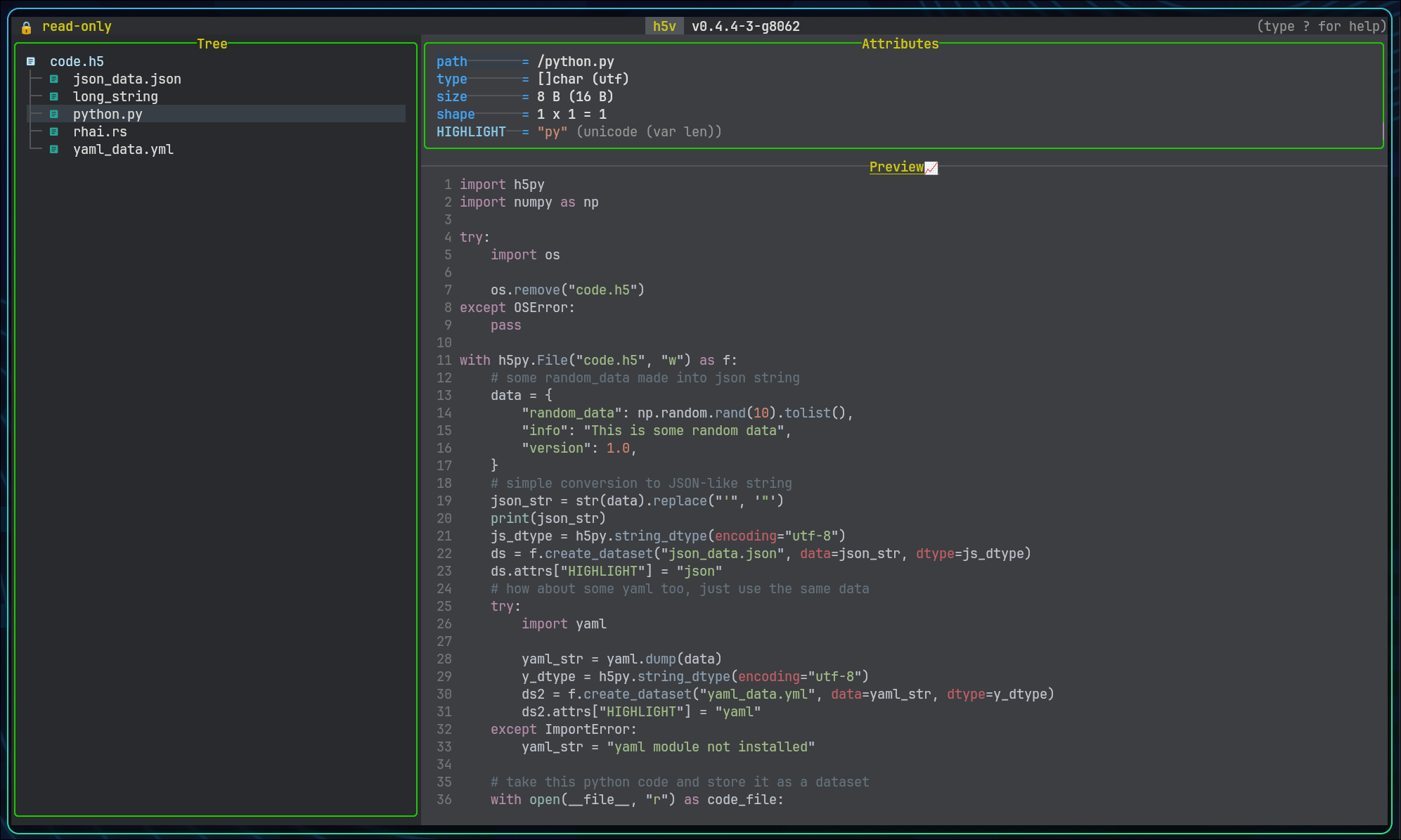
Help Scripting
Help overlay Startup scripting and code view

Note: Images are rendered with terminal graphics protocol (Kitty, Sixel, iTerm2), if you do not have a terminal with support, it will fallback to a braile plot.


Highlights

  • Fast, keyboard-driven navigation
  • Works seamlessly over SSH (no need to move files)
  • Multiple visualization modes (charts, images, etc.)
  • Multichart view for comparing datasets
  • Built-in command mode and scripting support

Installation

The project is free and open source:

Quick install via shell:

curl -fsSL https://raw.githubusercontent.com/DanielHauge/h5v/main/install.sh | sh

Then open with

h5v /path/to/file.h5

Core interaction model

  • Shift + arrow keys or Ctrl+W then h/j/k/l move focus between panes.
  • Tab cycles content modes when the current dataset can be shown in more than one way.
  • : opens the command minibuffer, . repeats the last command, and ? opens the in-app help overlay.
  • m adds the current previewable selection to multichart and M opens multichart mode.
  • s toggles the sidebar, / enters search, and Ctrl+R reloads the file from disk.

If this sounds useful, I’d love feedback :+1:

And again, thanks to everyone contributing to HDF5 :folded_hands:

2 Likes

How do I diagnose startup issues? This looks promising:

bob@penguin:~$ h5v --help
HDF5 Viewer - TUI for inspecting, visualizing and manipulating HDF5 files

Usage: h5v [OPTIONS] [FILES]...

Arguments:
  [FILES]...  Path to the HDF5 file to open

Options:
  -w, --write              
  -c, --command <COMMAND>  Execute a command at startup. Can be repeated
      --script <PATH>      Execute commands from a script file at startup. Use '-' to read stdin
      --script-test        Validate startup commands and print a summary without launching the UI
  -h, --help               Print help
  -V, --version            Print version

But when I try this with a real HDF5 file, I just get a blank screen.

bob@penguin:~$ uname -a
Linux penguin 6.6.99-09128-g14e87a8a9b71 #1 SMP PREEMPT_DYNAMIC Fri, 6 Feb 2026 20:45:19 -0800 x86_64 GNU/Linux
bob@penguin:~$ cat /etc/debian_version 
13.4

I used the shell installer.

I have the same issue when downloading the tarball. Maybe a missing dependency?

Any suggestions?

G.

Hi Gheber

Thanks for taking an interest in the tool.
I suspect it could be an unsupported terminal setup.
Could you run:

echo $TERM
echo $SHELL
tty
locale

If it is not a tty terminal, that is an issue. Also if the TERM env variable isn’t a supported terminal info, that would also be an issue.

You could try run with a forced terminfo

export TERM=xterm-256color
h5v /path/to/file.h5

I did try in a base debian container to run h5v without issues (after installing curl and libfontconfig). I suspect it could be problems with terminal when the capabilities are being queried.

Kr. Daniel

bob@penguin:~$ echo $TERM
echo $SHELL
tty
locale
xterm-256color
/bin/bash
/dev/pts/1
LANG=en_US.UTF-8
LANGUAGE=
LC_CTYPE="en_US.UTF-8"
LC_NUMERIC="en_US.UTF-8"
LC_TIME="en_US.UTF-8"
LC_COLLATE="en_US.UTF-8"
LC_MONETARY="en_US.UTF-8"
LC_MESSAGES="en_US.UTF-8"
LC_PAPER="en_US.UTF-8"
LC_NAME="en_US.UTF-8"
LC_ADDRESS="en_US.UTF-8"
LC_TELEPHONE="en_US.UTF-8"
LC_MEASUREMENT="en_US.UTF-8"
LC_IDENTIFICATION="en_US.UTF-8"
LC_ALL=

Hmm, that seems very fine :smiley:
I still suspect it might be terminal capabilites probing that is causing the issues.
I have added a flag: --no-terminal-graphics
Could you try install the latest version and run with this flag?

Tried that (--no-terminal-graphics), but no difference. Probably a terminal issue. I’m on a Chromebox.

It may seem that the issue could be that the Chromebox isn’t actually implementing a real tty and may just fake it. At the moment h5v uses an alternate screen (term feature) to avoid massive amounts of frames in the scrollback buffer when exiting the app, and it maybe be this that is causing the issue. Chromebox may accept but fake the alternate screen, and thus never enter it. I’ve added a compatibility mode to the flag “–no-terminal-graphics” that will not go into alternate screen, and could potentially fix the issue. I’ve released this addition in a new version, I hope this would work :smiley:
Also thanks for taking an interest in the tool, and helping me improve it :+1:

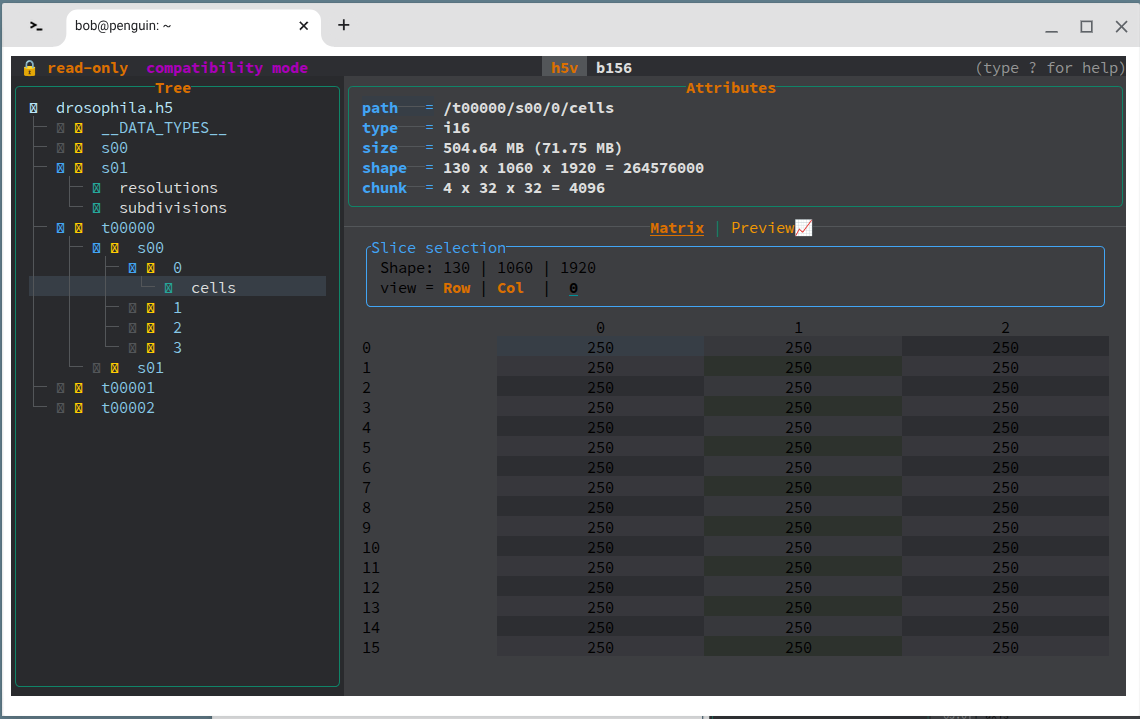
SUCCESS!

I rebooted the Chromebox just in case…

This is with the --no-terminal-graphics option.

Great job!

1 Like

Awesome :+1:
Symbols and colors look abit off :laughing:
I might have to look into better compatibility. I’ve only realy considered my own setup with kitty+nerd font :laughing:
Let me know if anything comes up or if you’ve got feedback!

@animcuil Excellent work! Your tool fills a gap in the current ecosystem of HDF5 viewers.

My suggestion is the use of term Attribute for displaying dataset path, shape, datatype, etc. This term has a very special meaning in HDF5 and may be confusing for other users. Perhaps something like Properties would free Attributes when displaying the attached attributes of a specific HDF5 group or dataset.

Hi @ajelenak
Thanks for the suggestion! I agree that using the term “Attribute” there could be confusing given its specific meaning in HDF5. “Properties” is a much clearer fit for that section. I’ve implemented this change by having a clear seperation of properties and attributes accordingly. Thanks again for the thoughtful feedback!

When I try to inspect chain.h5 from hdf-clinic/2026-05-05 at main · HDFGroup/hdf-clinic · GitHub , I’m getting this error:

bob@penguin:~$ h5v --no-terminal-graphics projects/hdf-clinic/2026-05-05/chain.h5 
Unrecoverable AppError: HDF5 Internal: - Failed to open HDF5 file: Unsupported datatype class

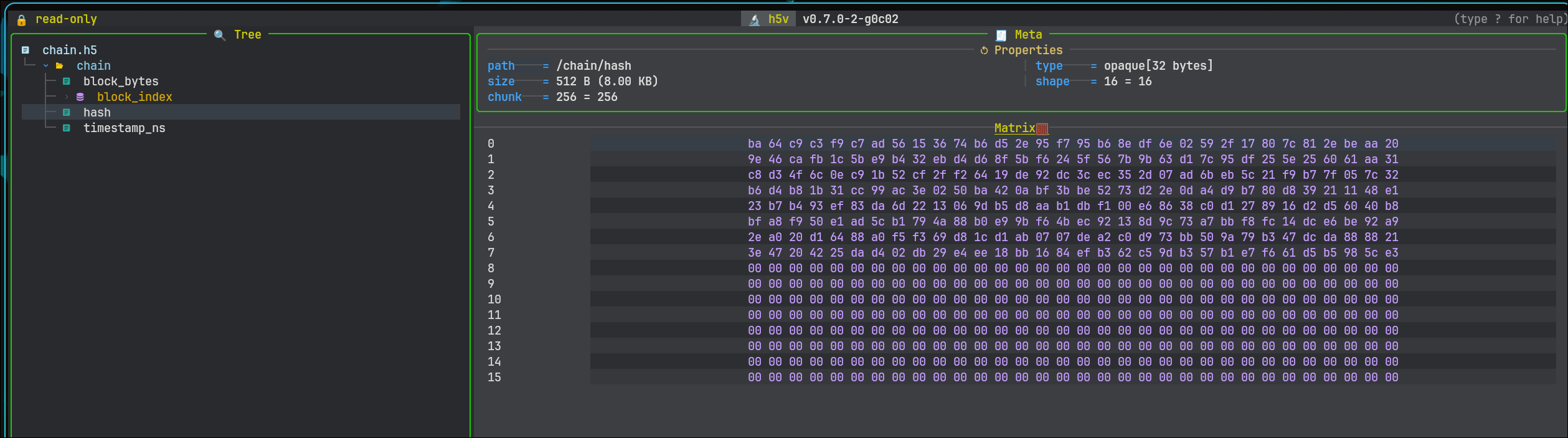
Not super critical, but I suspect h5v does not currently support opaque datatypes (fixed-length sequences of uninterpreted bytes). Might be easy to add.

Best, G.

Thank you for this feedback.
Your suspicion was correct, it did fail to handle opaque types.
It could be handled with a strategy to handle opaque types, as just raw bytes strings encoded as hex.


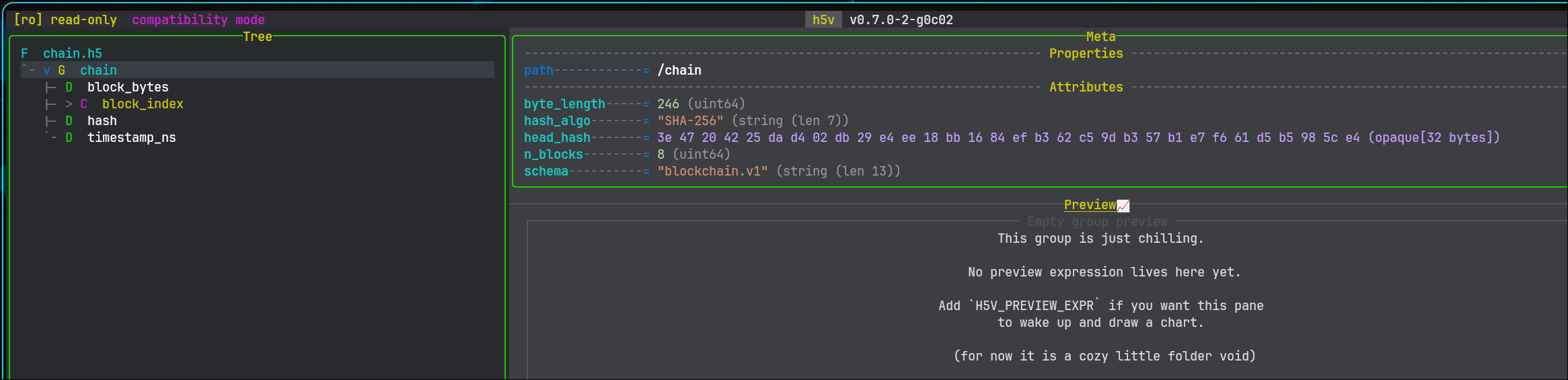
Besides this, I’ve also had the chance to look into improving compatibility with terminals with fewer capabilities. You can now run with --compatibility or enviroment variable H5V_COMPATIBILITY_MODE=true that will disable the alternate screen and use a different rendering strategy for icons and a few colors, hopefully for a less buggy experience visually.

Kr. Daniel

1 Like

@animcuil, will there be a light theme option for h5v?

Hey @gheber
Actually I was initially thinking about user configuration similar to nvim.
A lua file which users could:

  • Customize keybindings
  • Customize color schems
  • Create custom commands
  • Maybe even hook into previews or create their own custom content displays.

But i kind of put the idea away as I at that point didn’t think the project could become usefull for others besides me.
Maybe this idea could be reconsidered. Maybe as a first stage to customization, a simple theme picker via environment variables or flag could be good.
Kr. Daniel

Hi @gheber
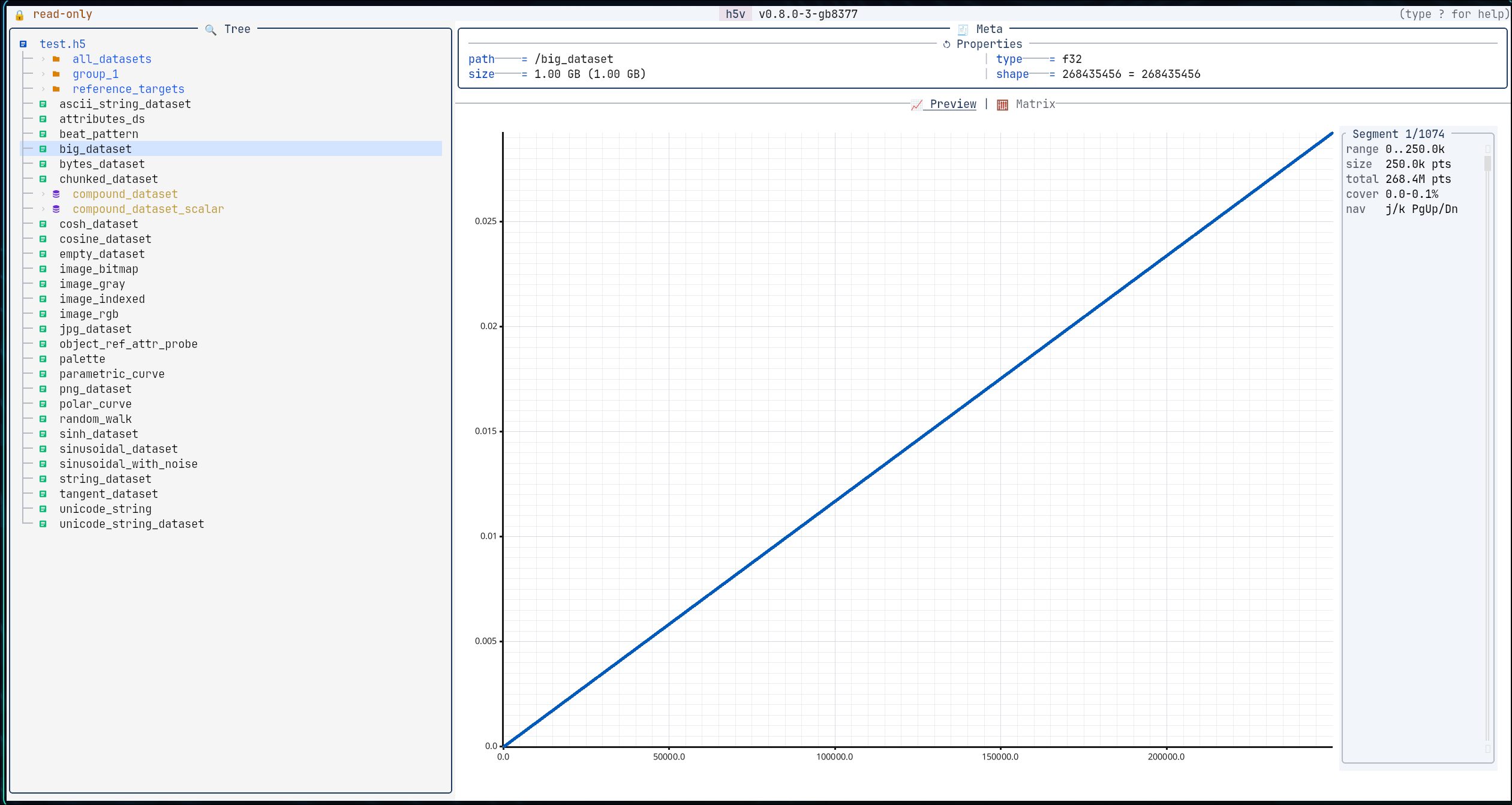
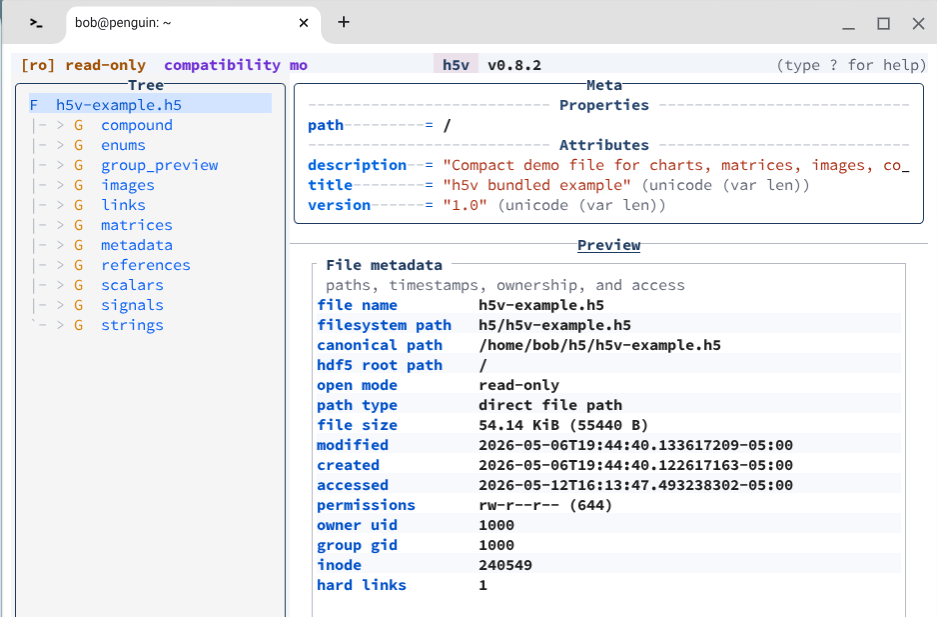
h5v v0.8.0 now comes with configurable theme, symbols and colors:

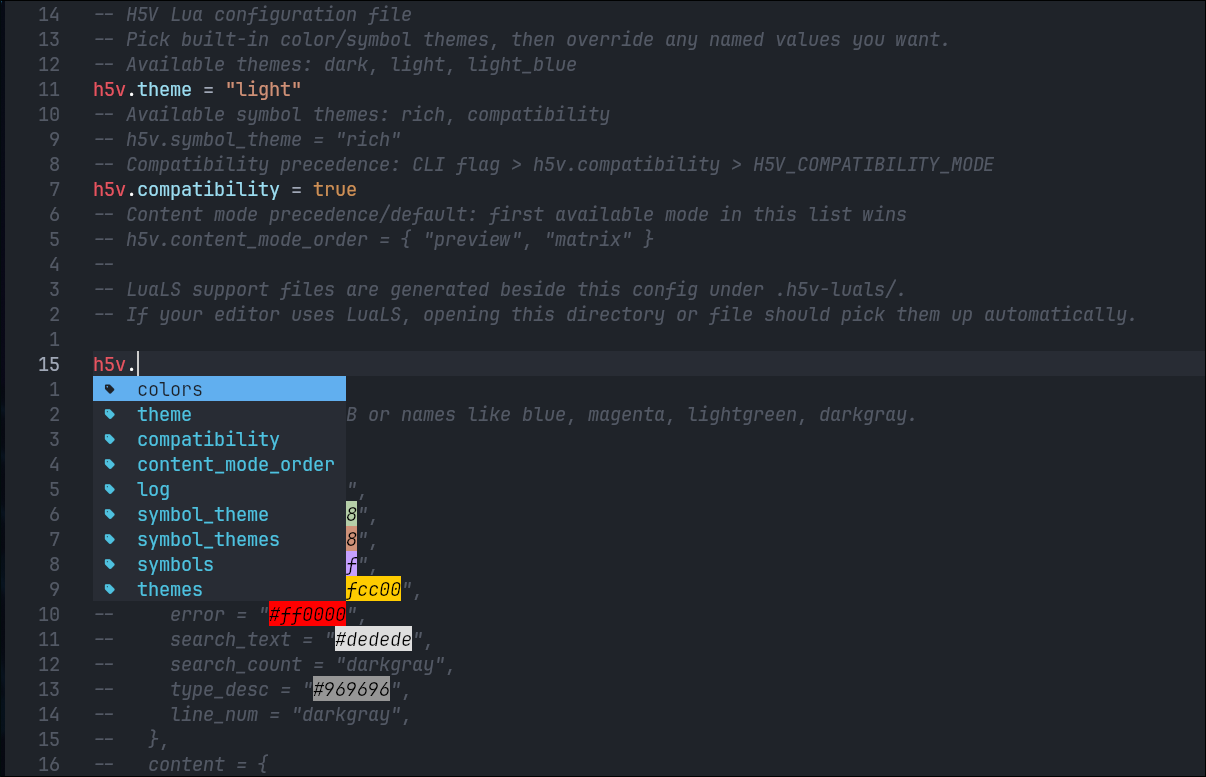
You can run the configure command (:configure) to open the init.lua configuration file located in the h5v app data directory.
Then you can outcomment/edit/add the lines
h5v.theme = "light"
h5v.compatibility = true
To have light theme and compabilitiy mode.
Furthermore, it is possible to change or override colors and symbols.

I’m not good with light themes, so any suggestions to theme or color changes to built-ins are most welcome :+1:

What a beauty! (screenshot)

When I’m trying to run :configure, I’m getting errors like this:

sh: 11: /etc/profile.d/10-baguette-envs.sh: [[: not found

10-baguette-ens.sh looks like this:

# Copyright 2024 The ChromiumOS Authors
# Use of this source code is governed by a BSD-style license that can be
# found in the LICENSE file.

# This is not meant to be executed, no shebang needed for profile
# shellcheck disable=SC2148

IDU_RESULT=$(id -u)
IDUN_RESULT=$(id -un)

if [[ -z "${DBUS_SESSION_BUS_ADDRESS}" ]]; then
  export DBUS_SESSION_BUS_ADDRESS="unix:path=/run/user/${IDU_RESULT}/bus"
fi

if [[ -z "${XDG_SESSION_TYPE}" ]]; then
  export XDG_SESSION_TYPE="wayland"
fi

if [[ -z "${XDG_RUNTIME_DIR}" ]]; then
  export XDG_RUNTIME_DIR="/run/user/${IDU_RESULT}"
fi

if [[ -z "${USER}" ]]; then
  export USER="${IDUN_RESULT}"
fi

# Wait until sommelier starts before give the shell to user, max 4 seconds
SECONDS=0
while ! pgrep -f "sommelier" > /dev/null; do
  sleep 1
  SECONDS=$((SECONDS+1))
  if [[ ${SECONDS} -ge 4 ]]; then
    break
  fi
done

sleep 0.2

unset IDU_RESULT
unset IDUN_RESULT
unset SECONDS

Any suggestions?

Hi @gheber
TL;DR - This is a bug :beetle: I have released a version that should fix it now :wrench: Thanks :folded_hands:

You can also open the init.lua manually. The file is located under the default config directory, on most linux based systems are located at ̣~/.config/h5v/init.lua

The issue is that h5v tries to open the config file with the systems editor program, but in doing so is loading user profiles with bash syntax in sh.

Both :configure and edit of cells and attributes works in this way. I was worried about shell assignment, aliases and extensions to PATH in those variables. So i settled on the simple thing to just wrap the command as a simple sh -lc to do the heavy lifting of solving aliases, PATH and shell assignment, but that consequently also loads user profiles, and i didn’t consider that profiles could consist of bash syntax.

I released a fixed version 0.8.2 that try to parse shell assignments too and worst case still run wrapped in a sh but avoid loading user profiles.

Again, if you have any suggestions and improvements, they are most welcome :smiley:
Thank you :100:

Works like a charm!

Great work.

1 Like