
Hi, I installed HDFView but when I laucn it i have this error “Failed to launch JVM”.
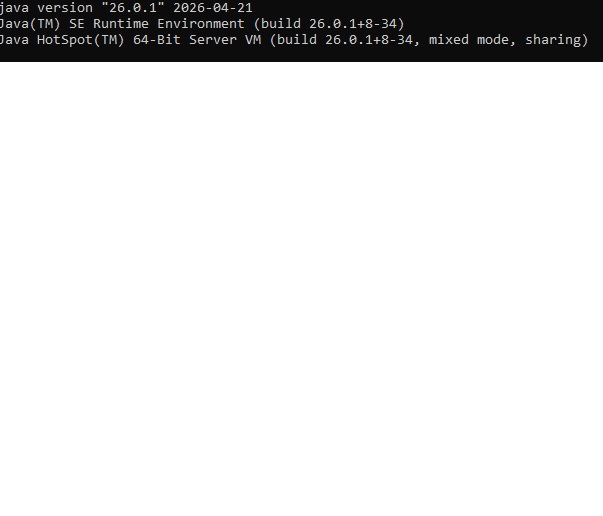
I have this version of JAVA:
Thanks to help me!
Hi, I installed HDFView but when I laucn it i have this error “Failed to launch JVM”.
I have this version of JAVA:
Thanks to help me!
Which version of HDFView are you using? If it’s the latest version, HDFView 3.4.1, then it must be built against HDF5 version 2.0.0 and (optionally, if HDF4 is enabled) HDF4.3.1. Depending on where you acquired HDF5 from, you might have a version which is too old or too new. (The most recent HDF5 release is 2.1.1).
Make sure that your PATH contains a directory with only the correct HDF4/5 installations. If it contains multiple directories with multiple HDF4/5 installations, HDFView may try to use the wrong version and fail to launch the JVM.
It’s the first time I’m using this software.
I’m using the last version 3.4.1 with win10. There isn’t another version of HDFview installed on my computer.
PATH doesn’t have directory of HDFView. Perhaps the problem is there but I don’t know what I have to do.
The concern isn’t that your PATH might contain HDFView, but whether it contains the libraries HDF4 and HDF5, which HDFView depends on. A couple more questions which should narrow down the issue:
How did you acquire your copy of HDFView? If you got it from the Windows installer (HDFView-3.4.1-Windows.msi) or the direct windows executable (HDFView-3.4.1App-Windows.zip), then I believe it should have come bundled with its own internal copies of the appropriate versions of HDF4 and HDF5.
How are you attempting to launch HDFView? If you are using the Windows run-hdfview.bat script, then the paths to HDF4 and HDF5 must be manually specified in the build.directories file. If you are directly executing the JAR, then you will need to add HDF5 to your PATH.
If you are directly running the executable installed by the MSI, or you are executing the app-image, then I believe that the dependencies should be bundled already.
I install with “HDFView-3.4.1-Windows.msi” and I launch it with HDFView.exe
In that case, I think the most likely cause is that your PATH contains another version of HDF5 (and/or HDF4) in addition to the ones that came bundled with the MSI.
From the terminal, in a different directory than your HDFView installation, try where hdf5.dll. If you have another HDF5 installation on your PATH, this will return its location. Removing that directory from your PATH (or removing the HDF5 installation from that directory) should then allow HDFView to execute properly, if this is the root cause.
As I recently had the same problem: Make sure you have a current version of hdf5 installed on your system & available on the PATH. I tested HDFView3.4.1 and needed to install hdf5-2.1.1-win-vs2022_cl.msi before I was able to run it. Before I got the same error message as you did. The installer seems to add the installation directory to the PATH automatically. Check with where hdf5.dll as @mlarson proposed.
That is a little curious as I don’t remember that HDFView3.3.2 (the other version I use) required a hdf5 installation.
The backend build system of HDFView underwent an architectural rework between versions 3.3.2 and 3.4.0, which led to some changes in the installation process and how it resolves the dependencies.
That said, if you’re using the HDFView application or installer, I would expect it to require HDF5 2.0.0 specifically (hdf5-2.0.0-win-vs2022_cl.msi) and not to accept the later 2.1.1